NEW! You can now book (or cancel) online!
But don't worry - you can still book (or cancel) by emailing bookings@stroudu3a.org.uk.
Just sign in to the Stroud u3a Member Portal.
Find the page for the "Group" called [YY Month] Monthly Meeting (e.g. 26 Feb Monthly Meeting)
Join the "Group"
That's it!
You will first need to register on the Member Portal, if you haven't done so already. Only current members can do this. This is Stroud u3a's main database of members, so it would be helpful if you could check that your personal details there are still accurate, and correct them if necessary.
If you have any difficulties in accessing the Members Portal, please check the Beacon page or contact IT@stroudu3a.org.uk or membership@stroudu3a.org.uk and we will help.
NEED MORE HELP IN BOOKING? SEE BELOW
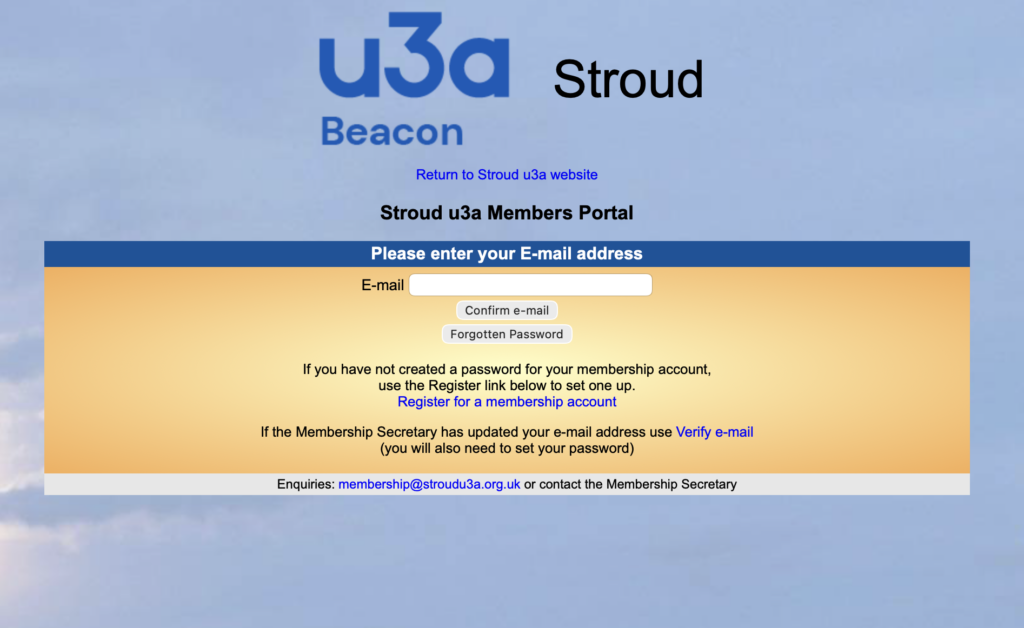
STEP 1 - SIGN IN TO THE MEMBERS PORTAL
<<<<<<<<< See image to left
Enter your email address. This must be the one you always use with Stroud u3a.
Click the "Confirm e-mail" button.
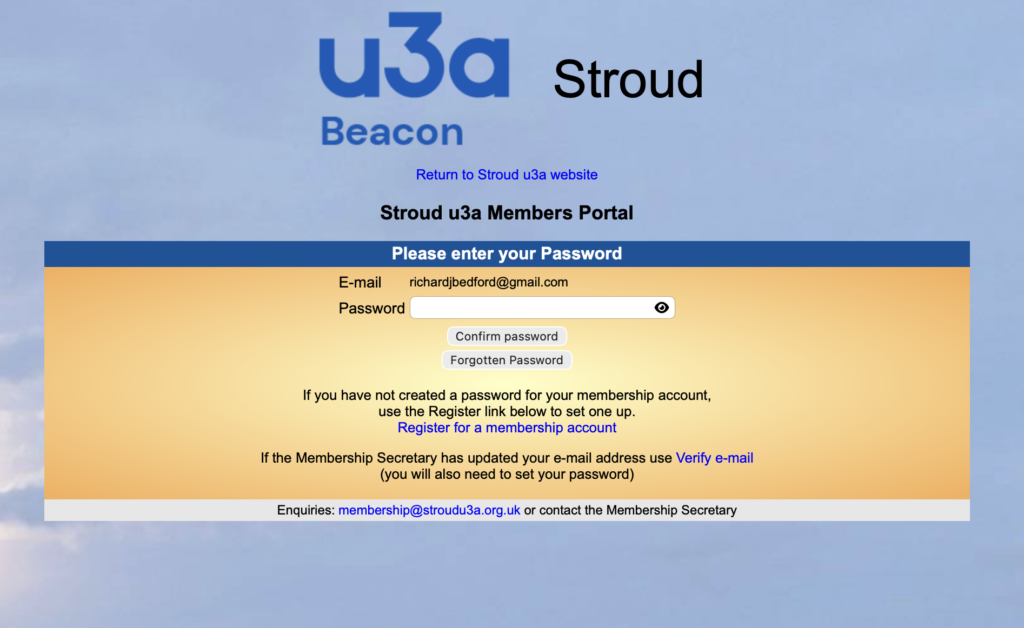
STEP 2 - ENTER YOUR PASSWORD
See image to right >>>>>>>>>>>>>
Enter your portal password.
Click the "Confirm password" button.
If you have forgotten your password, click the Forgotten Password button and follow the instructions to reset it.
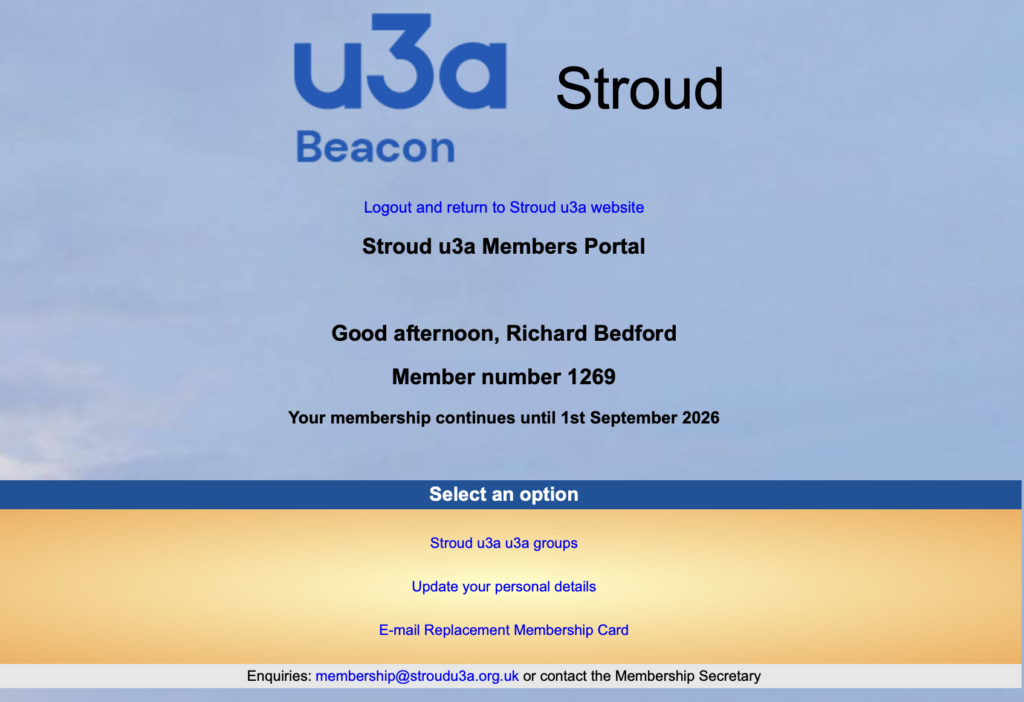
STEP 3 - SELECT THE RIGHT OPTION
<<<<<<<<< See image to left
This is your personal members Portal screen.
To make your booking, click on the option:
Stroud u3a u3a Groups (don't ask why u3a twice!)
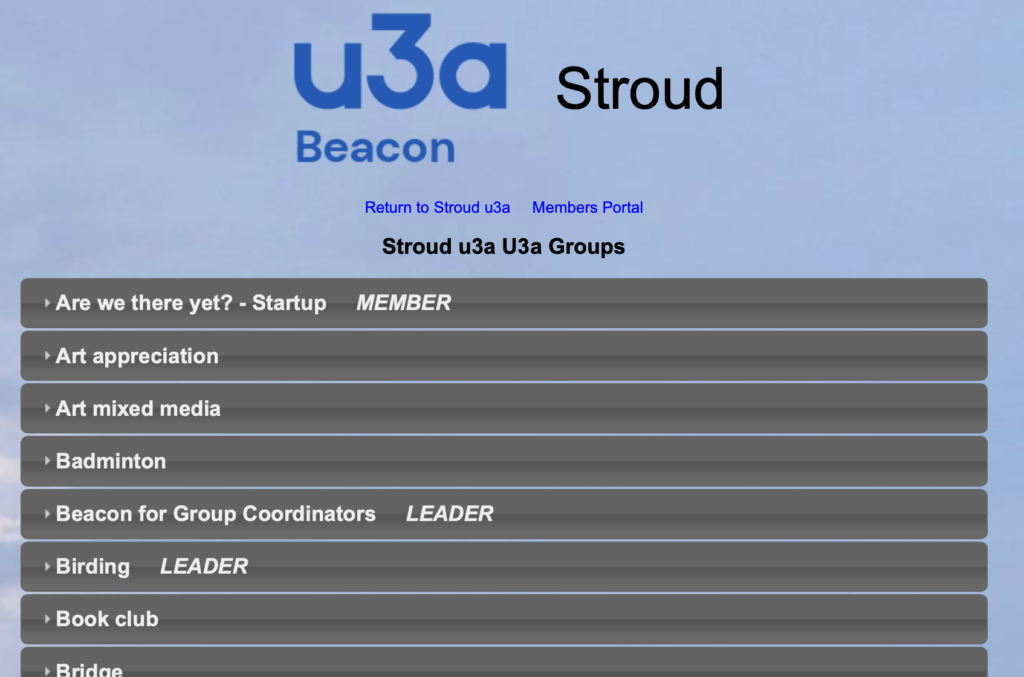
STEP 4 - FIND THE "GROUP" CALLED MONTHLY MEETING
See image to right >>>>>>>>>>>>>
This list shows all of our currently active Groups in alphabetical order.
The next MONTHLY MEETING will appear at the top of the list.
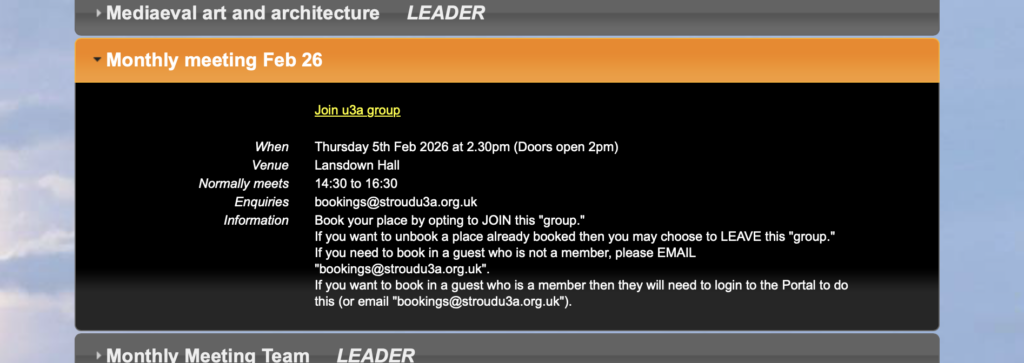
STEP 5 - BOOK YOUR PLACE
<<<<<<<<< See image to left
If you can't see any text under the Monthly Meeting name, then click the arrow to the left of the name to reveal the details.
Click the YELLOW link "Join u3a Group".
That's it! Your place is booked.
(If you need to cancel, follow the exact same procedure, but click on the YELLOW link "Click here to leave Monthly Meeting").